














-
Recently active
I need to upload file into box without manual interaction using c#.net. As per the SDK, I need to pass access token & refresh token. How can I get Access token & refresh token from C#.net using client id & client secret without manual interaction. Thanks.
I’m new to the Box API, and I’m trying (and failing) to get JWT Authetication working I’ve created a Custom App in my free individual account which shows enterprise id 0 I downloaded the JSON file that was generated containing the app settings. auth = JWTAuth.from_settings_file(‘0_i21yxr8x_config.json’) auth.authenticate_instance() client = Client(auth) When I run my code I get an error boxsdk.exception.BoxOAuthException: Message: Please check the ‘sub’ claim. The ‘sub’ specified is invalid. Status: 400 URL: https://api.box.com/oauth2/token Method: POST I read somewhere the “enterpriseID”: “0” in the json file might be causing this issue. How do I get a working enterprise ID? Or is there a way to use the User ID?
Good afternoon, there is a project for react typescript. All the integration has already been fully done, but we got a problem with the display of UI Elements. When importing a component, I got the error Could not find a declaration file for module ‘box-ui-elements/es/elements/content-explorer’. ‘***/node_modules/box-ui-elements/es/elements/content-explorer/index.js’ implicitly has an ‘any’ type. (any component, this one as an example). How can I import and make it work instead of with a typescript?
trying to request token from c#.net using grant type: authorization_code, I’m getting the error “The grant type is unauthorized for this client_id” I don’t know where to set the redirect url, I have set CORS Domains as http://0.0.0.0 Add information about the configuration settings of your app. : Custom Authentication Method : OAuth 2.0 with JSON Web Tokens (Server Authentication) (pre populated.) Please help. Thanks. Prasanna.
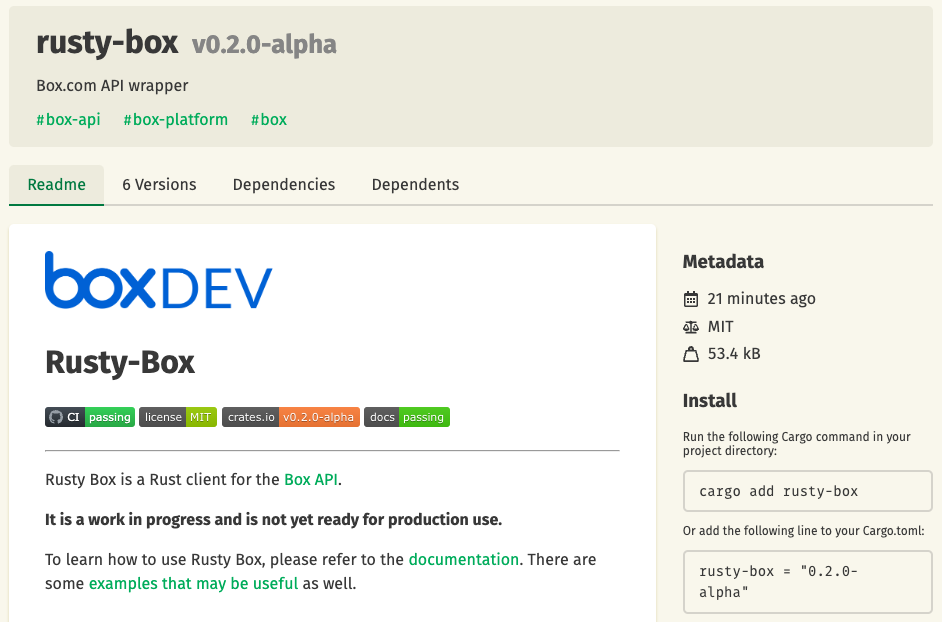
Hi there folks. Version 0.4.0-alpha of rusty-box has been released. Rusty-Box 0.4.0-alpha This version now supports the following authentication types: Developer Token Client Credentials Grant (CCG) OAuth 2.0 Check it out in crates.io or take a look at the repo: GitHub GitHub - barduinor/rusty-box Contribute to barduinor/rusty-box development by creating an account on GitHub. Cheers
[First post – please bear with me.] Box recently sent me a notice about deprecating some SSL protocols. Legacy SSL Ciphers Deprecation The suggestion is to use “api-test(.)box(.)com” instead of the normal “api(.)box(.)com” to test whether you need to make security changes to your app. The problem I’m facing is I use the BOX SDK v.2 (with C#) which has “api(.)box(.)com” hardcoded in the library so I can’t change it to use the testing URL. [The (.) is to get around the new user 1 link only restrictions.] Any suggestions? Please let me know if you need more info. thanks, randy
Hi all, Fairly recently we’ve launched a beta version of our Python SDK. Our engineering team is generating the SDK directly from the REST API specifications. This should allow: Full API Support: New Box SDKs empower developers with complete coverage of the Box API ecosystem. You can access all the latest features and functionalities offered by Box and build feature-rich applications. Rapid API Updates: The new auto-generation development approach allows for adding Box APIs to SDKs at a much faster pace (in a matter of days). This means you can leverage the most up-to-date features in your applications without delay. Embedded Documentation: All objects and parameters are documented directly in the source code of the SDK so all the necessary information is stored in one place. Enhanced Convenience Methods: The newly introduced convenience methods cover various aspects such as authentication, chunk uploads, exponential back-offs, automatic retries, type checkers which help to ensure tha
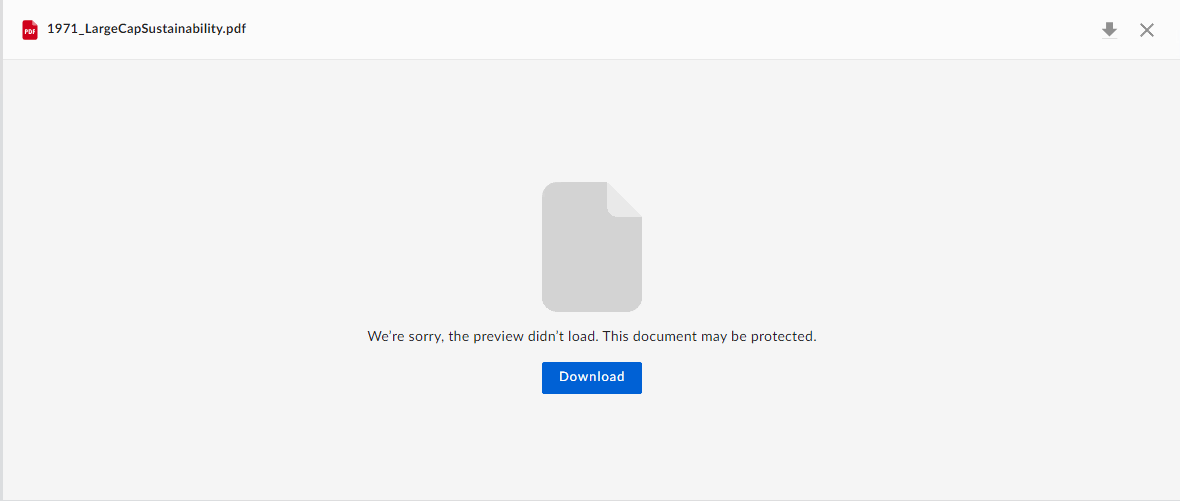
I am getting the following error while previewing a file. The error message says, The document may be protected, but I am able to preview the same if i use a new downscoped token. Form network tab, It seems when we click on preview, it tries to download the resource, but the resource is not found. When I tried hitting the same API in postman. I got the following response. This happens when I try to preview a documents after some interval of 10-15 minutes. Is there a solution available to explain the underlying cause of this behavior?
Hello, I have a box application that runs somewhere in Kubernetes cluster. It needs to read a box file that belongs to a physical box user, The application onboarded with JWT authentication and box created a server account: AutomationUser@boxdevedition.com. I shared the file with this server account and it can see it when listing files. However when trying to get the file content or downloading the file I get 403 authorization error. The organization does not allow " App + Enterprise Access" configuration nor “Generate user token” access. seems strange that even when the file owner added the service user as a collaborator it still cannot read the content. Is there a way around this ?
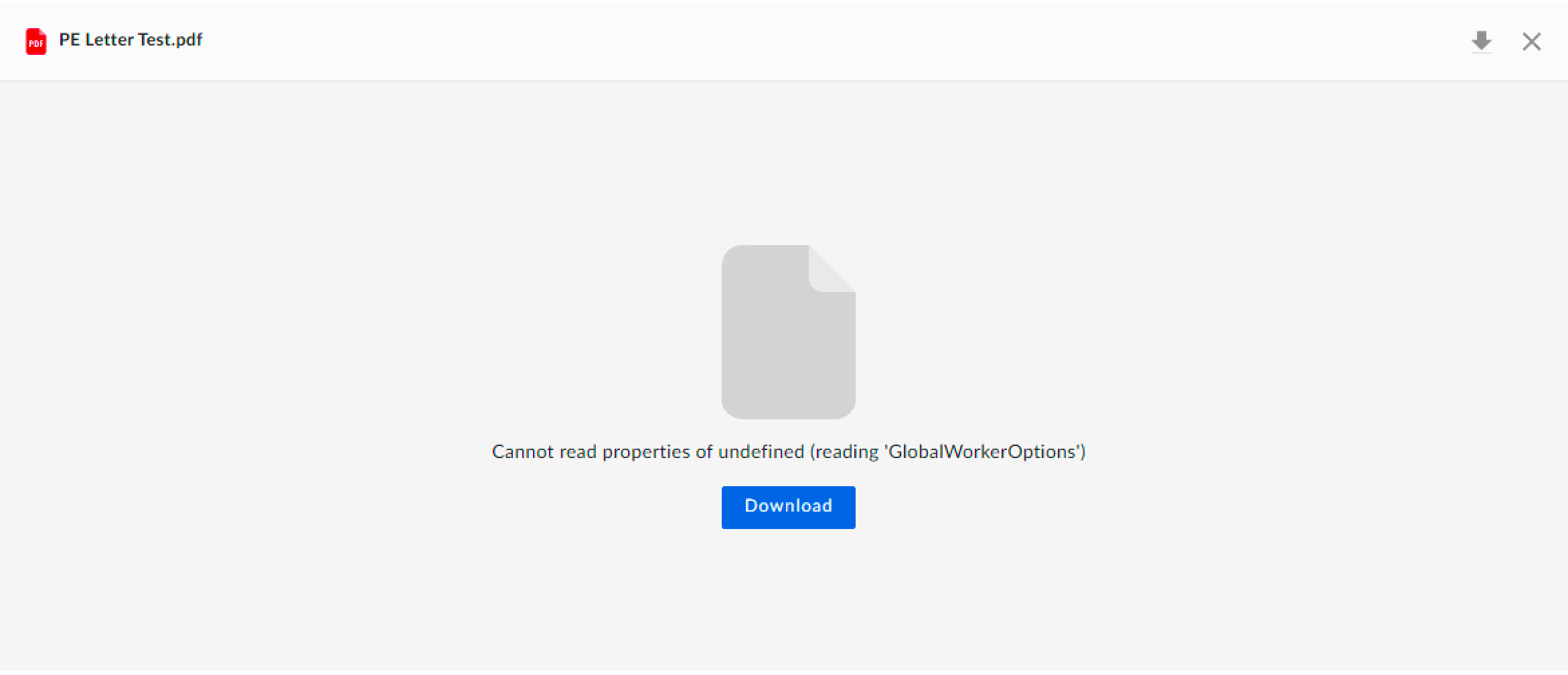
I am trying to preview an uploaded document in Content Explorer but using RequireJS in my project. When I remove the RequireJS library the preview works fine moreover when I load RequireJS the preview shows below error: Cannot read properties of undefined (reading ‘GlobalWorkerOptions’) Can we preview an uploaded document with RequireJS loaded on the same page?
Does Content Explorer include any mechanisms to stop the uploading of files that are infected with viruses? Is there any indication of an error in Content Explorer when attempting to preview a file that contains a virus? Is it possible for Content Explorer to hide/remove the download choice for a file containing a virus, despite the download permission granted by the downscoped token used in Content Explorer?
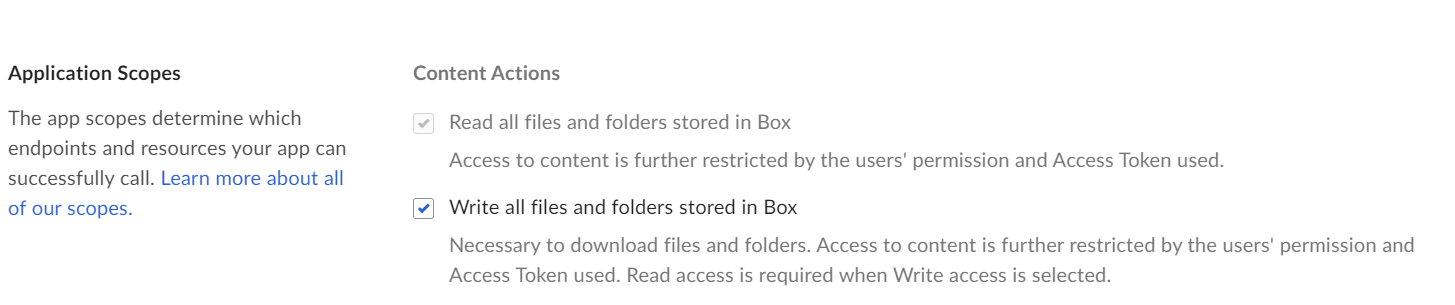
Hi I’m currently developing an application for my research group that pulls our images from box and applies certain operations on those images to generate training data for our CV models. We want to make this application public through a repository, and we want users to be able to access our image data using JWT authentication (config file for authentication will be provided in the repository). However, we don’t want users to be able to write to the folders and change their image content. I thought of giving ReadOnly permissions, however, box developer console says write permissions are required to allow users to download the content. Below is the code that pulls the content of the image by img_id (image id). def download_image_from_box(self, img_id): """ Downloads image from Box storage """ # Get file and read image data into memory cache file = self.box_client.file(img_id) file_data = file.content() # Decode image src =
While searching on widget i am getting the following error, I have provided the following scopes using Java SDK while generating downscoped token. “base_explorer”, “item_preview”,“item_download”,“item_rename”,“item_delete”,“item_upload”. I don’t see any more scope that needs to be added to downscoped token for Content explorer widget’s search functionality.
Hi @matt.riley When I use the “metadata-query” and specify a folder Id(parent folder), does it show results for all files under that folder and other subfolders or only under the parent folder ? On the same note, I used the command on 1 folder that has 1 file and got the following error box metadata-query enterprise_287697.Testing --219563937307 Unexpected API Response [400 Bad Request | 037667ddf3edfef86c49bc5058f7841c1.037667ddf3edfef86c49bc5058f7841c1] too_many_instances - Too many instances, and no supporting index available
The generate downscoped token is valid for almost one hour. Let’s say i want to invalidate token after 20 minutes(Logout usecase). I am getting the following error, The API returned an error code {“error”:“invalid_request”,“error_description”:“The client is invalid”} The following specified code is not working. box-java-sdk/doc/authentication.md at main · box/box-java-sdk · GitHub Is there any other way, we can achieve this functionality ?
I have a custom Box App that is set up App Token (Server Authentication). This type of config creates a service account and gives us an access token. I’ve had no problem using the Box API in the past with this token as long as the associated service account is given access to the appropriate folers. However, calls to the Box SIGN parts of the API return the following: { “type”: “error”, “code”: “insufficient_scope”, “status”: 403, “message”: “The request requires higher privileges than provided by the access token.”, “help_url”: “http://developers.box.com/docs/#errors”, “request_id”: “0aa1e51ed7348b0df97959af0e579f7e6” } Our admin has granted Box Sign access to this service account and I even re-authorized the app just in case. But I’m still getting this permission error. Are service accounts allowed to use Box Sign API? Keep in mind this uses a static APP TOKEN. It does not use OAuth
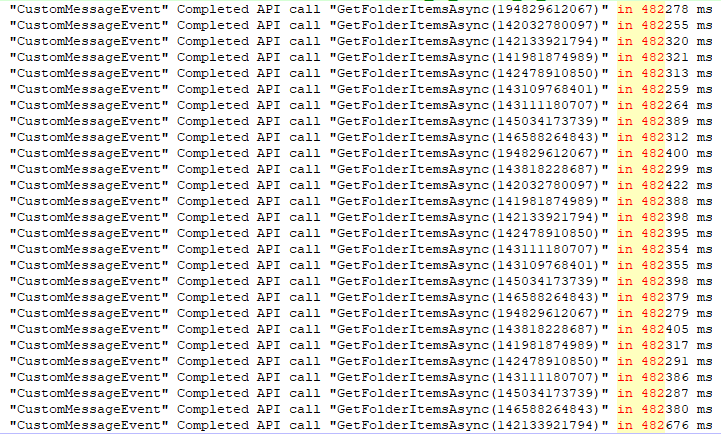
Dear Box Community, We are currently using Box.V2 version 5.2.0 library for .NET to interact with Box documents. However, we periodically encounter the following error: “System.IO.IOException: The response ended prematurely”. This error occurs most frequently when using the GetFolderItemsAsync method, but occasionally with GetRepresentationContentAsync as well. It is important to note that this error does not occur for all folders, and after waiting and retrying the request for a specific folder, the method can execute successfully. For our most recent run, we set a timeout of 10 minutes for the HttpRequestHandler. However, based on the logs, it is evident that for the folders where the error occurred, the connection was terminated after approximately 8 minutes We would greatly appreciate any insights you can provide regarding the potential causes of this error, why the connection is being terminated before reaching the set timeout and any suggestions for resolving it. Thank you for y
We are developing a system using Java on Microsoft Azure AppService. I’m developing a feature that uses the Box API in a system I’m developing. Box API authentication is done via JWT using the SDK. An error occurs at “BoxDeveloperEditionAPIConnection api = BoxDeveloperEditionAPIConnection.getAppEnterpriseConnection(boxConfig);” at runtime. The error message is “class “org.bouncycastle.asn1.pkcs.rsapublickey”'s signer information does not match signer information of other classes in the same packag”. I am using Box SDK version 3.4.0. I would like to know the solution for this error.
Hi there, I have few folder on which i have given access to different users. Now to meet compliance I need to remove access after a certain frequency. I want to know ways through which i can remove this access (which i have given to 1000+ users) from a certain folder. Manually its very tedious. I can work in Java/python and cli…thanks for reading it. Thanks a ton.
Hi , i am not able to read Excel or CSV file from box drive using Java SDK , Whenever I am trying to read using Java SDK its going to login page ,even I did authentication in the previous step but no luck Is it really possible without downloading a file and directly reading from box drive.? Or am I missing anything? If so please guide me. Thanks in advance, SIVARAMAN A
Is there an easy way to get the number of pages of box file using a native Box api?
Hi folks, Check out the new blog article: Medium – 5 Jul 23 How to recursively upload a folder to Box using Python In this article, learn how to recursively upload files to Box using Python, while taking advantage of Box API features such as pre-flight… Reading time: 5 min read When uploading files recursively, we also need to check if the folders and files already exists, because the user may upload an entire folder a second and third time. Take a look at this example, where we use the prefilght_check to verify if the file can be accepted, and decide if we are uploading a new file or creating a new version of an existing one. Here is something to whet your appetite: def main(): """main app demo""" settings = get_settings() # check if sample folder exist and create them if not sample_folder = check_sample_folders(settings.sample_folder_base_dir) # get a client service_client = box_client_get(settin
Hi everyone, I’m new here and would appreciate your help with some questions I have about the Content Explorer. I’m trying to set it up so that the preview opens when I double-click an image in thumbnail view. Is there any way to achieve this? Currently, the preview only opens when I click on the filename or a button. I set ‘select’ for the event in addListener, but it’s triggering when I hit other buttons like the ‘share’ button. Is there a way to limit the ‘select’ event to only when a file is selected? Also, what would be the way to make the preview open again when clicking on the same file? Thanks for taking the time to read this Apologies in advance if I’ve posted this in the wrong topic, as this is my first time here.
Does the ability to specify a template file id in a document signing request exist is the SDKs yet? If so, I’d like some documentation for the Python SDK at least. Basically the same question was asked here by another but not sufficiently answered: Box Support Box Sign API - Template ID I have just been informed that template_id is a new POST body param, and while you can use template_id and it will utilize a template in the box sign request creation, it does not seem to be popula... Edit: Just noticed this: Introducing: Template APIs for Box Sign! Box Sign I can’t wait for this to be available in the SDK’s Stay tuned! Any movement on this? Thanks.
Following up with the Rusty Box: Creating a Rust client for a hackathon, we have released a crate with an initial implementation of the users API end points. You can find the crate here. You can follow up and participate in this open source project at this GitHub repo. If you want to try it: Create a new rust project cargo new my-box-project cd my-box-project Add rusty-box to your dependencies cargo add dotenv cargo add rusty-box Create a .dev.env file in the root of your project DEVELOPER_TOKEN=YOUR_DEVELOPER_TOKEN Open your main.rs file and add the following code use rusty_box::{ auth::{auth_developer::DeveloperToken, AuthError}, box_client::BoxClient, config::Config, rest_api::users::users_api, }; use std::env; #[tokio::main] async fn main() -> Result<(), AuthError> { dotenv::from_filename(".dev.env").ok(); let config = Config::new(); let auth = DeveloperToken::new( config, env::var("DEVELOPER_TOKEN").expect("DEVELOPER_TOKEN
Already have an account? Login
No account yet? Create an account
Enter your E-mail address. We'll send you an e-mail with instructions to reset your password.