









-
Recently active
Hello everyone. I created a custom app in september 2019 and I have been using it since them to automate some of my monthly tasks. It is able to upload and retrieve files data as I need, but not to list neither delete due a low regularity of usage of these functions, mainly because I’ve used to manage and delete old files using web Content Manager. Unfortunately I am not able to do it anymore. If I understood it well, now the feature is restrict to plans upper to Business Plus. I got the point to restrict users management, but wouldn’t it be bad for Custom Apps that haven’t a full self-management (CRUD) files feature? We must consider that some apps does not even have an UI, some finished and delivered apps to final users could not implement a full management, and even there is a needing to write more code and spend time to fix a issue that can’t be solved due a policy plan change Thanks.
Hi, We have issue where we want to get all the collaborators for file, however, we are not getting all the collaborators. If I call list folder collaboration Api, I am getting all the collaborators whoever have access to that file. If it is waterfall permission model, I should have all the collaborations from the file endpoint, if that file under the parent folder. So why I am not getting all the collaborators when I use list file collaboration API? ref: - List file collaborations - API Reference - Box Developer Documentation
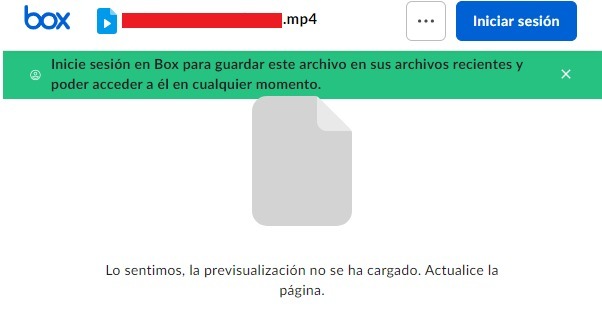
Hello everyone!, I’m working on a website and I’m implementing box embed on iframes to show a preview of my files and I’be stuck because only on Chrome the preview of the iframe isn’t working, The iframe shows the message “We’re sorry, the preview hasn’t load. Please refresh the page.” I’m using Box API to connect and validate my session and bring the shared urls of my files. In firefox and other explorers this works without problems. ¿Any help? Thanks!!
Hi Team, What will be endpoint of API if subdomain enabled. Example - Default URL - https://api.box.com/2.0/events If enabled subdomain can we use API with default URL or do we need to use subdomain?
Hi folks, I often use the Box Postman Collection to interact directly with the Box API, so I can troubleshoot my code, or just to see what an actual response looks like. The existing collection only automates the access token refresh for OAuth 2.0, and it is fairly complex to change it to support CCG or JWT, even though a lot of times I wish I had that possibility, so I could work directly with the service accounts. Having said that I wanted to gauge the community interest in supporting access token refresh for CCG and JWT, or anything in between: Developer Token (non refreshable) OAuth 2.0 Client Credential Grant (CCG) JSON Web Token (JWT) Other (leave comment below) All of the above 0 voters Let us know! Cheers
Regarding the plan mentioned in the https://www.box.com/pricing/business, we have below queries. Will the “\events” API availability change as the plan changes ? List Of Event type will change as per the Plan ? Will Enterprise events type include user events type ? What minimum paid account required to access the Enterprise event via “\events” API?
Hello everyone, I’m facing an issue with the speed of the responses I’m receiving from the API. I’m making 100 parallel calls from one user and repeating this process 10 times, resulting in less than 1000 calls per minute. Here’s the code snippet that I’m using: _boxClientCredentialsGrant = new BoxCCGAuth(boxConfig); _userclient = _boxClientCredentialsGrant.UserClient(_testUserId); // This part in paralel 100 times // iterate 10 times var result = await _userclient.UsersManager.GetCurrentUserInformationAsync(); The blue line is the performance in average pro call in this scenario I’m wondering if there are additional optimizations that I can implement to receive faster responses to these API calls and process them more quickly. Has anyone had experience with performance optimization? I’m questioning whether the current performance is acceptable or if there are further optimizations I can make on my end. For example, should I consider using an HTTP client instead of the SDK or any ot
Hi Team, We are constantly getting below error when our automated jenkins jobs trying to upload files on box folder: access_token = response.json()[‘access_token’] KeyError: ‘access_token’ The same jobs are working fine on staging server with same configurations means files are being uploaded to box folders using the same app config on our staging server. The issue we are facing is in production jenkins jobs, it was working fine till 24th dec but now continue to fails generating access token. We are currently using JWT without SDK approach. Looking forward for some help. Thanks, Shailendra J
Getting below error in /users API Request - curl -i -X GET “https://api.box.com/2.0/users” \ -H “authorization: Bearer <ACCESS_TOKEN>” Response - { “type”: “error”, “status”: 403, “code”: “access_denied_insufficient_permissions”, “help_url”: “http://developers.box.com/docs/#errors”, “message”: “Access denied - insufficient permission”, “request_id”: “qcyqnkhl1oprc6uk” } What permission or paid account needed to access above API ?
Some of our users are getting flagged for going over their allotted API calls per month. We’re aware that this is part of the user’s Box’s billing plan. This is a pretty inconvenient limit. Our use case requires us to do full periodic syncs, where each sync making: ~2 API calls per folder, 1 to retrieve its children and 1 to retrieve its collaborations ~1 API call per file to retrieve its collaborations We do use webhooks to reduce how often we make these calls, but it still doesn’t guarantee control as a developer, especially if a user has thousands of files. To remediate: Are there any API calls that can pull the latest changes to folders & files, instead of us needing to do full periodic syncs? Or is there any other recommended practice so that we can reduce the # of API calls we need to make. Is there a programmatic way to access the user’s monthly limit? Does this limit apply to an individual user or the entire account of users? Any plans to remove this limit?
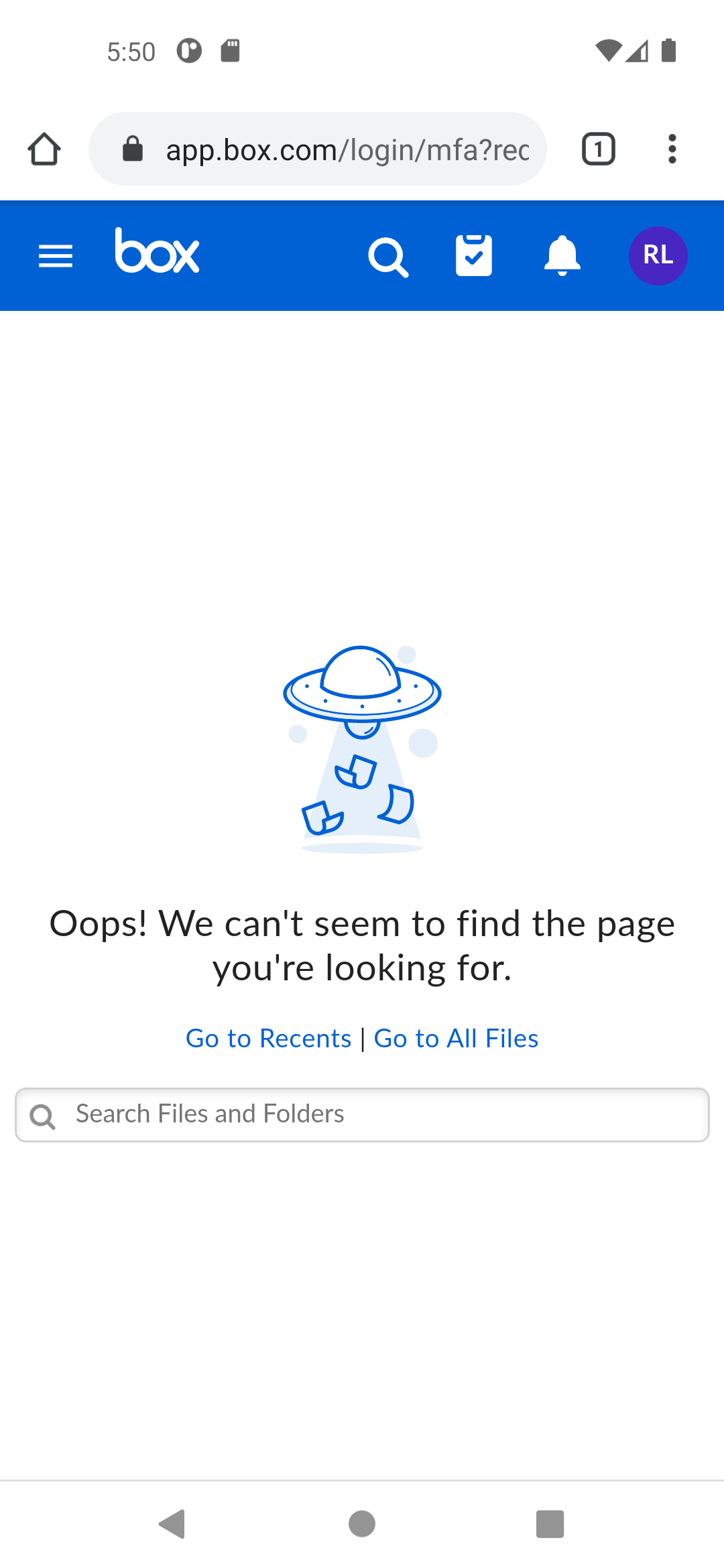
Hello world, I’m writing some code trying to integrate Box Java SDK into my own Android Java code. The URL to invoke Box OAuth2 is built using code like below BoxAPIConnection.getAuthorizationURL(clientId, URI.create("oauth://box.oauth2/redirect"), state, scopes) Whereas state is a random UUID string and scopes is just root_readonly. Using some non-standard protocol name here since I expect app deeplinks will capture the above redirect, then I will be processing the redirect callback in my code to get the access token. However, upon invoking the above code, my Android code isn’t capturing the deeplink URL at all. Traced down a bit revealed the URL returned by box.com server is being https://app.box.com/login/mfa?redirectUrl=%2Fapi%2Foauth2%2Fauthorize%3Fclient_id%3D<REDACTED>%26response_type%3Dcode%26redirect_uri%3Doauth%253A%252F%252Fbox.oauth2%252Fredirect%26state%3D<REDACTED>%26scope%3Droot_readonly# That made box came to nowhere but a missing page. I thought I should
I tried to create an access token using the following details { grant_type: ‘client_credentials’, client_id: “2yuh6hjmzagiw5hr8tqhxvcqkcgyiw4c”, client_secret: “my client secret”, box_subject_type: ‘user’, // box_subject_id: ‘my user id’, // }; I am getting following error even after providing the correct credentials: data: { error: ‘invalid_grant’, error_description: ‘Grant credentials are invalid’ } my app setup is : 1.server authentication (Client credential) 2. app access only please let me know how to resolve it
Hello, I am experiencing an issue with the NodeSDK, whenever I apply any data shape, to boxClient.folders.addMetadata() it throws a 400 with “message”: “Request contains invalid parameters.”, If I apply a empty object {}, it works without issue. (So I know that i am able to connect, and have permissions ect) The shape of the metadata template is: The relevant code: const metadataValues = { ENTITY_ID: “1234”, is_Active: “1”, is_Found: “1”, }; let response_metadata_applied = await this.boxClient.folders.addMetadata(folder_id, “enterprise_534608”, “ciptemplate”, metadataValues); It throws a 400, with that error. If I apply let response_metadata_applied = await this.boxClient.folders.addMetadata(folder_id, “enterprise_534608”, “ciptemplate”, {}); It works 100%, but the values are of course empty. I have tried all methods of controlling the body: when I look at the error response { “statusCode”: 400, “response”: { “statusCode”: 400, “body”: { “message”: “Request contains invalid parameters
We are trying to access the file name using the box api. To do that we are using OAuth authentication. But we authorization is pending and we reached out to Admin contact still waiting for the reply. Can someone pls suggest best way to integrate box with our application to read the file name which is in Box. Please do the needful Thanks in Advance.
Hoping someone can help and point me in the right direction Using the .Net SDK using the Access and Refresh Token authentication and when the token expires (via the HttpRequestHandler 401 status code) and the SDK calls the RetryExpiredTokenRequest I get a Bad Request error. If I refresh the tokens outside of the SDK, the code authenticates correctly with no errors. What am I doing wrong? Any help would be greatly appreciated Thanks
Join us live tomorrow with Kyle Adams, Senior Staff Partner Architect at Box, who will be available to answer your questions. Getting Started with Box and Salesforce Experience Cloud Events
I have a question about the conditions under which the following error occurs when using the zip archive download API. developer.box.com Download zip archive - API Reference - Box Developer Documentation Explore the Box APIs and SDKs to use for app development, API documentation, developer support resources, and access the Box Developer Console The error in question is ‘enterprise_too_many_concurrent_downloads’. Is the following understanding correct? For example, if 11 users, each belonging to different companies, use the same custom app at the same time and perform zip downloads, enterprise_too_many_concurrent_downloads will not occur (assuming parallel downloads are not performed in each company). I would like to see if the enterprise_too_many_concurrent_downloads error is related to the number of parallel downloads for my company rather than the total number of parallel downloads for my custom app’s users.
Hi, @ajankowski @lsocha, @rbarbosa I use a client credentials grant for accessing my enterprise account. I successfully called the enterprise user API using the boxsdk for python. But now when I try to call any box API using the client I get the following error. DEBUG 2023-11-24 04:13:25,474 oauth2 Refreshing tokens. (oauth2.py:214) INFO 2023-11-24 04:13:52,500 default_network e[36mPOST https://api.box.com/oauth2/token {'data': {'box_subject_id': '30187662834', 'box_subject_type': 'user', 'client_id': '---9or2', 'client_secret': '---nKID', 'grant_type': 'client_credentials'}, 'headers': {'User-Agent': 'box-python-sdk-3.9.2', 'X-Box-UA': 'agent=box-python-sdk/3.9.2; env=python/3.10.12', 'content-type': 'application/x-www-form-urlencoded'}}e[0m (default_network.py:79) I debugged and found that the refresh call is made inside the oauth2.py file in the boxsdk. right when this code is called under the refresh() access_tok
I created an Embedded widget and included it into a page. The shared link that is used for the widget is restricted to users with access. When I need to sign in, it opens a new tab, I sign in and it refreshes the original widget. However, when it refreshes, it still asks to sign in. This issue only happens in Firefox. I have cleared my cache and cookies, tried using a different Box environment for the shared link, used Firefox on a server (separate from my local machine) and tried rebooting. None of these have worked. However, I do believe that it was working at some point and then within the widget, I tried to sign out of my account. Ever since then it hasn’t worked. However, I don’t know if this is a cause/coincidence or mis-remembering how it was working before. It doesn’t seem like logging out within the widget would cause it to break for different Box environments and different servers. I have included a screenshot of the view I see before and after it refreshes
Hello, I have a question about the box API when OAuth 2.0 is used. My end goal is to upload a file to box using a bot. The first part of my test is to set up the API and do this manually for now. With this goal in mind, I created a personal box account (my organization suggested doing this) to do testing. Then, I created an application and followed the instructions from box to authenticate using Python and SDK. The problem that I’m facing is that I cannot view my root folder. I get a message saying <Box Folder - 0 (All Files)>. I can create folders, search for files, and upload file to box root folder. I read some of the posts on the forum and I already discarded the possibility that I am using a service account because when I look at my client.user() i see my user ID and email. Also, I’m using a developer token and to my understanding, a developer token is associated with the user who’s logged into the developer console. The code that I’m using is below, thank you! from boxsdk
I have a custom app registered/authorized by our Box admin with a permission scope of App+Enterprise , the C# client is using the Client Credentials Grant authentication method. I can get users in our Enterprise with the GetEnterpriseUsersAsync() method with no issue. However, it throws an exception of Box.V2.Exceptions.BoxAPIException : The API returned an error [Forbidden | figvvzhkcgjuvsex.02c4ce4ec440d4ba759f146d40493582d] forbidden - Forbidden when attempting to update a user via the .NET sdk UpdateUserInformationAsync method. C# code is as follows: _boxConfig = new BoxConfigBuilder(BOX_CLIENT_ID, boxClientSecret).SetEnterpriseId(BOX_ENTERPRISE_ID).Build(); _boxCCG = new BoxCCGAuth(_boxConfig); _boxClient = _boxCCG.AdminClient(); to update the user is coded as follows: public async Task UpdateUser(BoxUser user, string? setColleagueId = null) { var updates = new BoxUserRequest(); // pass the user properties into the updates object updates.Address = user.Address; updates.ExternalAp
Hi, When I use the metadata-query command and try to add more options to query more data about the file creation date using the Fields option or the Extra-Fields option, no results show up, only file name and file id Here is the command box metadata-query enterprise_******.department 1736501103 --fields=created_at ----- File 1342427526557 ----- Type: file ID: ‘1342427526557’ Also need to know the list of options that I can use under Fields and Extra-Fields as the Box CLI is not showing any help or examples for it. Thanks
Hi teams, We are facing an issue with the search API of Box. For example, if I have files named ‘image-1’, ‘image-2’, and ‘image-3’ in Box, and my search term is ‘image,’ I noticed that the ordering of results is not consistent. The order of results varies each time I invoke the API. This inconsistency affects the API results, especially when we use pagination. For instance, if I query to get the first 20 results and then use the ‘offset’ value to retrieve the next page of results, I observe that there are repeated results from the previous API call. Please consider this issue and provide us with a resolution. Thank you
I’m using OAuth 2.0 and I have verified that the program is making the API call with the correct folder ID beforehand. This program was working for me yesterday, so nothing has changed on my end. I am just a one admin user business account, so I’m pretty sure I have all the correct permissions. Any help would be amazing, thanks.
Hi! I noticed in the docs that there’s a limit to 10 enabled box skills per enterprise instance. Box Support Enabling and Configuring Box Custom Skills This article presents the basic information Box administrators must know to enable, maintain, and manage Box Skills for their enterprise. You must be upgraded to the latest version of the Admin Con... I’m new to box, so I’m not sure what an enterprise instance is. Is that a billing or organizational concept? Here’s our use case: our customer is a subsidiary of another company that runs events. Our customer drops their assets into a folder per event. There are other subsidiaries that also run events and at some point we’d also like to get them as customers. What do I need to ask them about their installation so I can figure out how many custom skills we can add? If each subsidiary has its own box instance then it’s 10 per subsidiary. But if they have one enterprise instance (like an A
Already have an account? Login
No account yet? Create an account
Enter your E-mail address. We'll send you an e-mail with instructions to reset your password.