






-
Recently active
Introduction ** NOTE: This is a sneak preview of our thinking about how the Box AI API will look and is for informational purposes. The Box AI API not in production yet and is subject to change prior to General Availability. Please use this documentation for insight into how Box is currently thinking about our approach and not to pre-build integrations with the assumption they will work as-is on day one. Feel free to provide thoughts, comments and feedback in this thread. The Box AI API extends the power of Box AI to your custom applications. Imagine the Box AI for Documents functionality built into your third party integration, or the ability to generate content like you can in Box Notes, right in your product’s content editor. The Box AI API benefits from the same enterprise-grade security, privacy, and compliance posture as Box AI. As long as your content is already in Box, you can leverage the API to tap into that content in 3rd party and custom apps with peace of mind. The Box AI
Learn how to build apps that combine your content with the power of the AI provider of your choice. For more information on skills, check out our documentation.
Test post for the Image Alt tag related issue check
https://www.linkedin.com/posts/box_the-box-mcp-server-is-now-in-the-github-mcp-activity-7389044785325600768-GD3F/I just configured this and it is spectacular. All of our knowledge and best practices in one place. My team can simply use the ai_qa_hub tool to ask a question about our style and best practices. We have some specific SQL conventions we use and I had Github Copilot / Box MCP update the file. It came back with the specifics we needed. Exactly what I was looking for.I know other dev platforms allow you to put knowledge in their systems, but we have all of our other corporate knowledge in Box so this just keeps everything consistent and easy to reference.
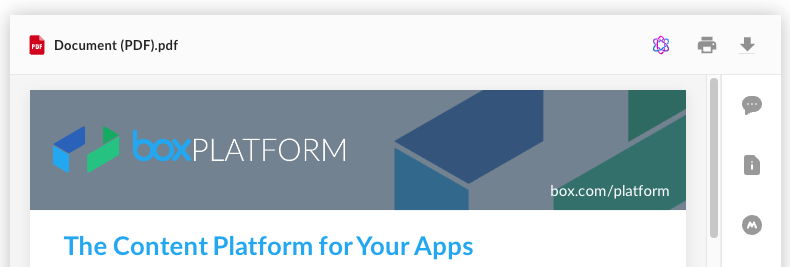
Basic Box UI Elements resources Developer guide: https://developer.box.com/guides/embed/ui-elements/ Installation of BUIE: box-ui-elements - npm Readme for using Content Preview Element: box-ui-elements/src/elements/content-preview/README.md at b3f57ff04fc3b7b03da29408f74f1cebe4c4edfd · box/box-ui-elements · GitHub Prerequisites : Node version >=18.x AI UI Element resources What is the AI UI Element (UIE)? The AI UIE enhances the Content Preview UI Element with AI Q&A functionality. Developers can build AI-enabled chatbot-type functionality in their custom portals using this UIE. The AI UIE is capable of answering questions and taking actions like summarization of a given document. Content Preview element top bar including the AI UI Element icon: AI UI Element Q&A modal: The latest version of BUIE package including the AI UI Element: 19.0.0-beta.34 The AI UI Element is currently available only by installing the npm package. The CDN version is not yet supported. How to ad
Do you have questions about the Box AI API? This is the place to ask!
Already have an account? Login
No account yet? Create an account
Enter your E-mail address. We'll send you an e-mail with instructions to reset your password.