











-
Recently active
Getting below error in /users API Request - curl -i -X GET “https://api.box.com/2.0/users” \ -H “authorization: Bearer <ACCESS_TOKEN>” Response - { “type”: “error”, “status”: 403, “code”: “access_denied_insufficient_permissions”, “help_url”: “http://developers.box.com/docs/#errors”, “message”: “Access denied - insufficient permission”, “request_id”: “qcyqnkhl1oprc6uk” } What permission or paid account needed to access above API ?
Some of our users are getting flagged for going over their allotted API calls per month. We’re aware that this is part of the user’s Box’s billing plan. This is a pretty inconvenient limit. Our use case requires us to do full periodic syncs, where each sync making: ~2 API calls per folder, 1 to retrieve its children and 1 to retrieve its collaborations ~1 API call per file to retrieve its collaborations We do use webhooks to reduce how often we make these calls, but it still doesn’t guarantee control as a developer, especially if a user has thousands of files. To remediate: Are there any API calls that can pull the latest changes to folders & files, instead of us needing to do full periodic syncs? Or is there any other recommended practice so that we can reduce the # of API calls we need to make. Is there a programmatic way to access the user’s monthly limit? Does this limit apply to an individual user or the entire account of users? Any plans to remove this limit?
I tried to create an access token using the following details { grant_type: ‘client_credentials’, client_id: “2yuh6hjmzagiw5hr8tqhxvcqkcgyiw4c”, client_secret: “my client secret”, box_subject_type: ‘user’, // box_subject_id: ‘my user id’, // }; I am getting following error even after providing the correct credentials: data: { error: ‘invalid_grant’, error_description: ‘Grant credentials are invalid’ } my app setup is : 1.server authentication (Client credential) 2. app access only please let me know how to resolve it
We are trying to access the file name using the box api. To do that we are using OAuth authentication. But we authorization is pending and we reached out to Admin contact still waiting for the reply. Can someone pls suggest best way to integrate box with our application to read the file name which is in Box. Please do the needful Thanks in Advance.
I have a question about the conditions under which the following error occurs when using the zip archive download API. developer.box.com Download zip archive - API Reference - Box Developer Documentation Explore the Box APIs and SDKs to use for app development, API documentation, developer support resources, and access the Box Developer Console The error in question is ‘enterprise_too_many_concurrent_downloads’. Is the following understanding correct? For example, if 11 users, each belonging to different companies, use the same custom app at the same time and perform zip downloads, enterprise_too_many_concurrent_downloads will not occur (assuming parallel downloads are not performed in each company). I would like to see if the enterprise_too_many_concurrent_downloads error is related to the number of parallel downloads for my company rather than the total number of parallel downloads for my custom app’s users.
Hi teams, We are facing an issue with the search API of Box. For example, if I have files named ‘image-1’, ‘image-2’, and ‘image-3’ in Box, and my search term is ‘image,’ I noticed that the ordering of results is not consistent. The order of results varies each time I invoke the API. This inconsistency affects the API results, especially when we use pagination. For instance, if I query to get the first 20 results and then use the ‘offset’ value to retrieve the next page of results, I observe that there are repeated results from the previous API call. Please consider this issue and provide us with a resolution. Thank you
I’m using OAuth 2.0 and I have verified that the program is making the API call with the correct folder ID beforehand. This program was working for me yesterday, so nothing has changed on my end. I am just a one admin user business account, so I’m pretty sure I have all the correct permissions. Any help would be amazing, thanks.
Hi! I noticed in the docs that there’s a limit to 10 enabled box skills per enterprise instance. Box Support Enabling and Configuring Box Custom Skills This article presents the basic information Box administrators must know to enable, maintain, and manage Box Skills for their enterprise. You must be upgraded to the latest version of the Admin Con... I’m new to box, so I’m not sure what an enterprise instance is. Is that a billing or organizational concept? Here’s our use case: our customer is a subsidiary of another company that runs events. Our customer drops their assets into a folder per event. There are other subsidiaries that also run events and at some point we’d also like to get them as customers. What do I need to ask them about their installation so I can figure out how many custom skills we can add? If each subsidiary has its own box instance then it’s 10 per subsidiary. But if they have one enterprise instance (like an A
Hello everyone, I’m integrating Box.com into my React application. When I redirect users to this URL for Box login, const boxAuthUrl = `https://account.box.com/api/oauth2/authorize?response_type=code&client_id=${encodeURIComponent(CLIENT_ID)}&redirect_uri=${encodeURIComponent(BOX_REDIRECT_URI)} i’m facing an issue with some accounts. Often, when the user is redirected, they end up at a different URL. How can I resolve this issue? Can anyone help?
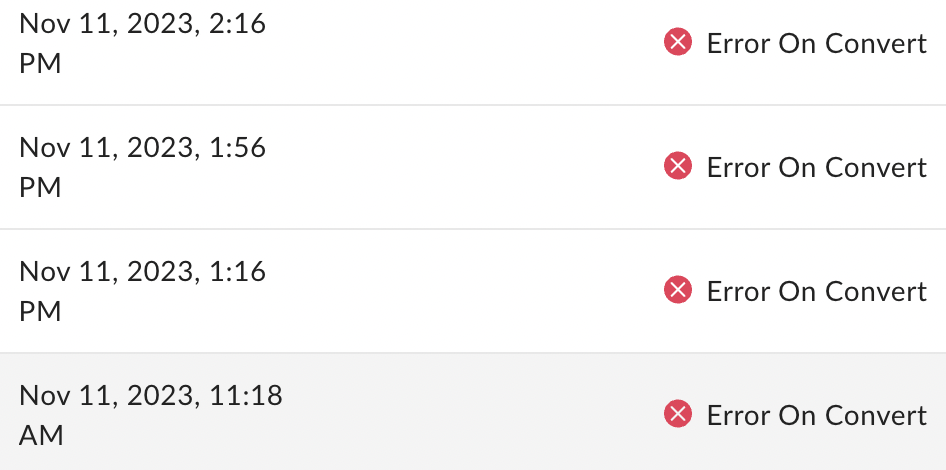
Anyone seeing this pop up again? Starting on Nov 10th I began seeing large increase in “Error on Convert” Same issue as Create Box Sign Request API results in failure while converting though that one is marked as Solved. It’s the same outcome, though perhaps could be a different cause. My guess would be there is an issue again on the Box side, because nothing has changed in my API calls and like with last time, some calls succeed while others result in “Error on Convert”.
I’m trying to check with an API how many times a file has been accessed. Since there is no API to obtain the insight information provided on the web screen, I think that the FILE (Full) objects shared_link.download_count and shared_link.preview_count are appropriate alternatives. However, these values always remain 0 whether I preview or download the file. When are download_count and preview_count updated?
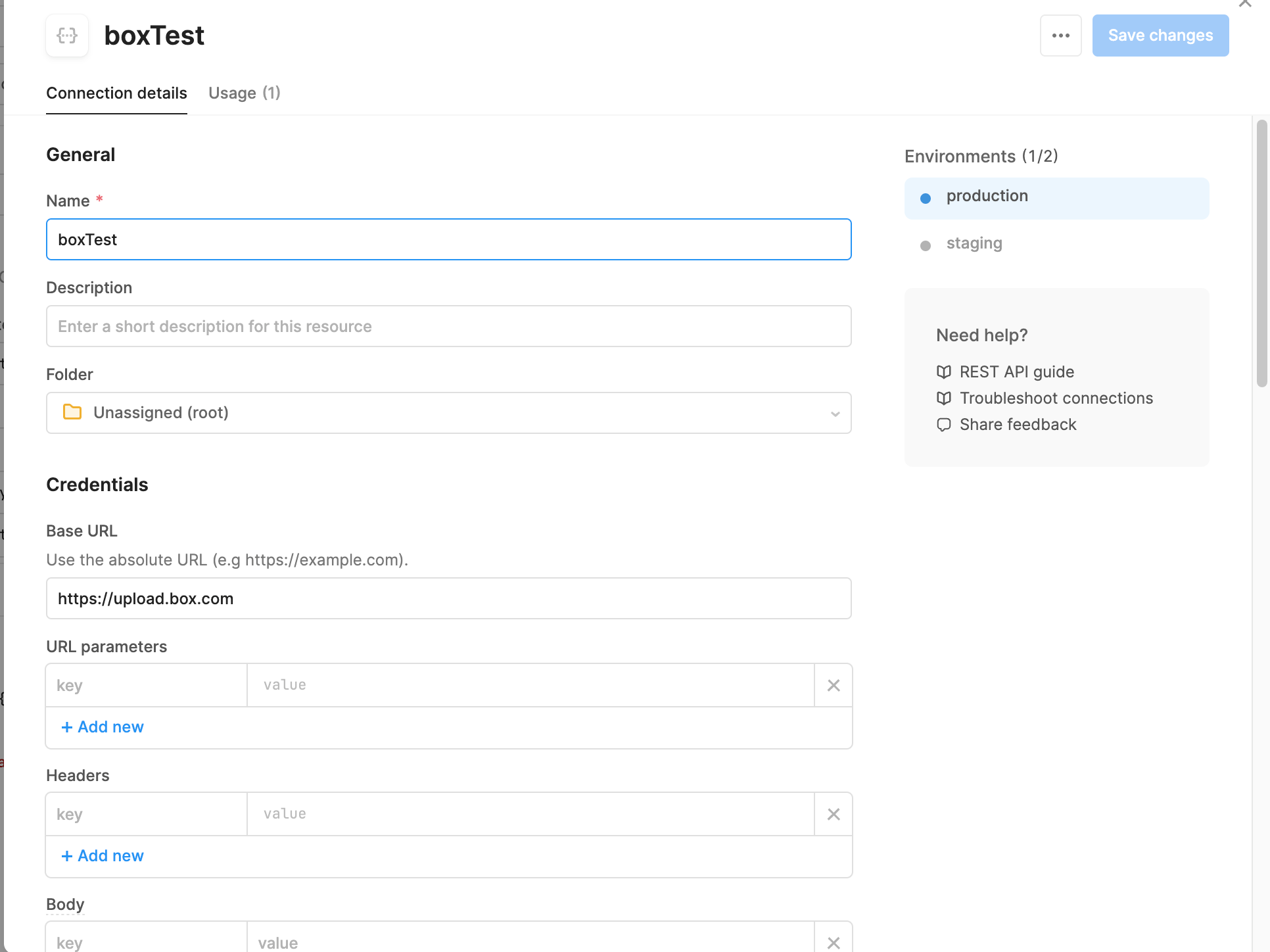
Hi all, I am trying to test out connecting my retool web-based application to take an uploaded file and send it to my box drive via the upload PUSH. The below screenshots show my settings for setting up the API connection, and then the form information for the PUSH. However, when I run it I get a 400 code with a blank message (“”). When I look in the response, It also states a 415 error of invalid file type (see attached). The file is stored encoded with base64 (not sure if that is the problem since the documentation states a string or binary. I am not sure if this is a box issue, retool issue, or user issue (or a combination).
The Users & Groups section of box admin shows that I have a managed user that is using 95% of the storage of my account. I am unable to see that content in the Content section of box admin because I don’t see a Content Browser tab (in both Firefox and Microsoft Edge). I have tried deleting the user and transferring their content to me, but when I click the Continue button it shows a busy animation and never goes to the next screen. When I login to box admin later, no additional content has shown up in my account, and the user I tried to delete is still there and is still using 95% of the storage. The problematic user was originally the account admin, but has an email address from a domain that box doesn’t allow, so a couple years ago I created a new user (the user I’m logged is as now) and made it the admin. I had to file ticket #2455825 to get the account reactivated. The problematic user is now shown as Co-Admin and listed as Active, but I am unable to login using that email
I’m using the /recent_items to identify the following: item_modify, where a user has modified a file in Box item_preview, where a user has viewed a preview of a file item_upload, where a user has uploaded a file item_comment, where a user has added a comment to a file I have created a folder & file, created a folder & uploaded a file, and added comments to the file in my box account. However, the response only lists files interacted with interaction_type = “item_preview”? I was expecting the API to return the interaction_type = “item_uploaded” when the file was uploaded; and return the interaction_type = “item_comment” when a comment was added the file? Any help is greatly appreciated. Thx
Is there a way to eliminate the grant access page if a user is already given access to the app? Or is there any other type of custom app I can use for this purpose? My requirement is just to verify that the visitor is an actual box user or not. Once the user grants we store the tokens and refreshs the token before the expiry of the refresh token. A similar way where users can log in with Google. And access grant is asked only first time.
I have a question regarding rate limiting for license-based APIs. developer.box.com Rate Limits - Box Developer Documentation Explore the Box APIs and SDKs to use for app development, API documentation, developer support resources, and access the Box Developer Console If the rate limits for license-based APIs are exceeded, will an error occur? I would like to know the specific behavior when these limits are exceeded. In a previous response, it was mentioned that there would be no error, but a notification for a plan upgrade. I would like more details on what happens when the limits are exceeded. Box Support API calls per month limitation of Business Plans When an application reaches the API calls per user (or per second), the response will be "429 Too Many Requests" with Retry-After seconds in HTTP headerhttps://developer.box.com/guides/api-calls/p...
We are looking to interact with millions of files. We have noticed on the box site that Enterprise business plan has a limit of 100,000 API calls per month. Can this rate be increased? If so, what can it be increased to?
I have a question regarding rate limiting for license-based APIs. developer.box.com Rate Limits - Box Developer Documentation Explore the Box APIs and SDKs to use for app development, API documentation, developer support resources, and access the Box Developer Console Is the license-based API rate limit after publishing a custom app related to the plan that the party issuing OAuth (i.e., the developer of the custom app) has signed up for, which increases the count when making API calls from the app? Or does the contracted plan of the user of the app affect the API call limit?
I have a question regarding rate limiting for license-based APIs. developer.box.com Rate Limits - Box Developer Documentation Explore the Box APIs and SDKs to use for app development, API documentation, developer support resources, and access the Box Developer Console I understand that the rate limits for license-based APIs are based on the entire organization’s usage, not on a per-user basis. For example, if there are 6 users on a Business plan, and each user makes 10,000 API calls, the total would exceed the 50,000 rate limit. Is this correct?
What is the most efficient method to stop users deleting folders? It seems there is no direct permission which can be applied for this. Folder Locking available via API seems to be a possibility.
I’m utilising the Box Sign Events API to construct my workflows. The API provides capacity to monitor the sign document when it is converted to a .pdf file, using the SIGN_DOCUMENT_CONVERTED event. However, this event does not seem to trigger - I’ve tried using different sign document file formats. They all get successfully converted to a PDF for signing, but the CONVERTED event never seems to show up in the enterprise events stream (admin_logs_streaming). Similarly, I’m also not able to trigger the SIGNER_DOWNLOADED event - the documentation states that: “A SIGNER_DOWNLOADED event_type is produced when a signer downloads the signing document.”, but when I test this out, I only receive an additional SIGN_DOCUMENT_VIEWED_BY_SIGNER event (note that this isn’t the event upon opening the sign document email, but an additional one when I click the download button in the Box sign UI). Is this an intentional behaviour? If so, how do we trigger the SIGNER_DOWNLOADED event? Could someone please
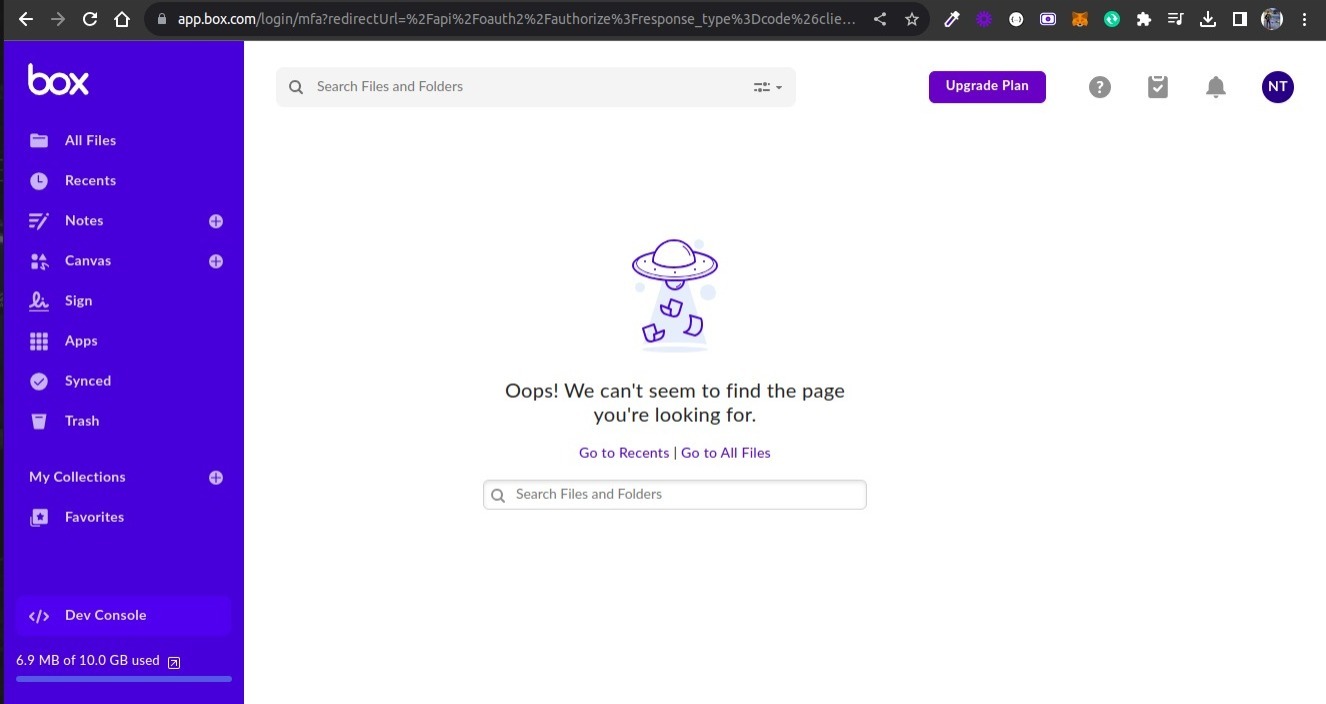
Hi, I’m trying to figure out why our app integration no longer opens successfully, it shows “403 forbidden” when opening the app via Box (in a new tab). From our logs it looks like it stopped working August 22th (the oath endpoint haven’t been called since then). Have something changed in how Box calls the authentication endpoint? Its this network call https://app.box.com/index.php?rm=box_openbox_post_form&url=[...] that returns a 403. See screenshot: When i call the url specified in the query parameter above manually with a POST it returns a redirect which can open the app successfully so I suspect something might have changed on Box end. Any ideas or suggestions would be appreciated. Thanks
Hi, I’m part of an IT company and one of our clients has been using Box since before we started managing them. We’ve been trying to handle an issue with the permissions and so far, we haven’t been able to find a good solution. Box support was not helpful, and I spent some time learning the CLI, but I’m still struggling to figure anything out. Anyways, here is the problem: The file structure that they have set up does not work with the way Box handles permissions. The situation is they have a folder titled “Human Resources”. In this folder there is an “Employees” folder and each employee of the company has their own subfolder. Within each employee’s folder, there are two subfolders. One of these subfolders is called “Confidential” and should only be accessed by HR. The other subfolder is “Personnel” and should be accessed by HR and Accounting. Since Box forces their waterfall/inheritance permissions model, we are not able to make this work. If we give read access for Accounting to the “
We are currently working on Deploying Microsoft Sentinel, and I’d like to get the data connector for Box working, Microsoft’s documentation is sparse and vague (feigning surprise!). In combining both their docs and Box.com, I think the issue is what is needed for the JSON input parameters, nothing I’ve seen so far has given me specifics. Has anyone been able to implement this successfully? Thanks! Mike
What is the best way to use the Box API to get all shared links created by a specific user?
Already have an account? Login
No account yet? Create an account
Enter your E-mail address. We'll send you an e-mail with instructions to reset your password.