














-
Recently active
Hi Everyone, I am configuring the Box App and setting up the BOX CLI. After executing the login command and entering the client ID and client secret,and granting access,I am redirected,and the following message appears: (node:7544) UnhandledPromiseRejectionWarning: BoxCLIError: Error: Unexpected API Response [403 Forbidden] at C:\Program Files (x86)@boxcli\client\src\commands\login.js:122:11 (Use node --trace-warnings ... to show where the warning was created) (node:7544) UnhandledPromiseRejectionWarning: Unhandled promise rejection. This error originated either by throwing inside of an async function without a catch block, or by rejecting a promise which was not handled with .catch(). To terminate the node process on unhandled promise rejection, use the CLI flag --unhandled-rejections=strict (see Command-line API | Node.js v21.2.0 Documentation). (rejection id: 1) (node:7544) [DEP0018] DeprecationWarning: Unhandled promise rejections are deprecated. In the future, promise rejections
Hi, When “Restrict content creation” is enabled in the Enterprise settings, the following CLI command produces a 403 error. $FolderID = 1234567890 $OwnerPre = 1234567891 $OwnerAft = 1234567892 $CollaborationID = box folders:collaborations:add $FolderID --as-user=$OwnerPre --role co-owner --user-id $OwnerAft --id-only box folders:collaborations:update $CollaborationID --as-user=$OwnerPre --role owner If I uncheck the “Restrict content creation” box, it succeeds, but is there any way to succeed with the box checked? Sincerely,
We want to make you aware of a recent effort by certain third-party bad actors to leverage free Box developer accounts in a social engineering attack on certain Box free individual accounts. Upon discovery of this issue, Box decided to temporarily disable new sign-ups for free developer accounts while we work to implement additional technical controls to prevent similar efforts in the future. The security and integrity of our Service is of utmost priority to Box, and we must ensure that we are providing the most secure product experience to our customers. We understand that some Enterprise customers use these free developer accounts for their own business purposes, and that they may have questions about their inability to sign-up new free accounts. Please use the following talking points when addressing these Customers’ questions or concerns: Any free developer accounts that were in place before March 9, 2023 are unaffected by this action; Customers may continue to use these pre-exist
Hi folks, We’ve announced the Box Advanced Collection for Postman. You can read about it via our Medium article: Medium – 5 Oct 23 Box Postman advanced collection In this article we'll explore how we've converted the pre-request script to handle any type of Box application authentication, giving… Reading time: 6 min read But most important you can try it out. Click this link to fork the collection to your Postman workspace. Keep the feedback flowing! Enjoy
Hi, We are using the open-source tool grouper for managing the groups in BOX. The grouper uses the Box SDK to query the users or groups, manage the groups, and manage the group membership. The Box API throws a 503 error randomly while querying users or groups. Please review the error message and let me know if you need anything. type: consumer, finalLog: false, state: init, consumerName: provisioner_incremental_boxProvisioner, totalCount: 147, currentSequenceNumber: null, publisherClass: edu.internet2.middleware.grouper.app.provisioning.ProvisioningConsumer, runId: vuk1k5nv, exception: java.lang.RuntimeException: provisionerClass: GrouperBoxProvisioner, configId: boxProvisioner, provisioningType: incrementalProvisionChangeLog, state: retrieveIncrementalTargetData, changeLogRawCount: 147, changeLogItemsApplicableByType: 106, recalcEventsDuringFullSync: 0, checkErrors: all, syncGroupsToQuery: 20, syncGroupsFound: 1, retrieveSyncGroupsMillis: 1, syncGroupCount: 1, filterByNotProvisionable
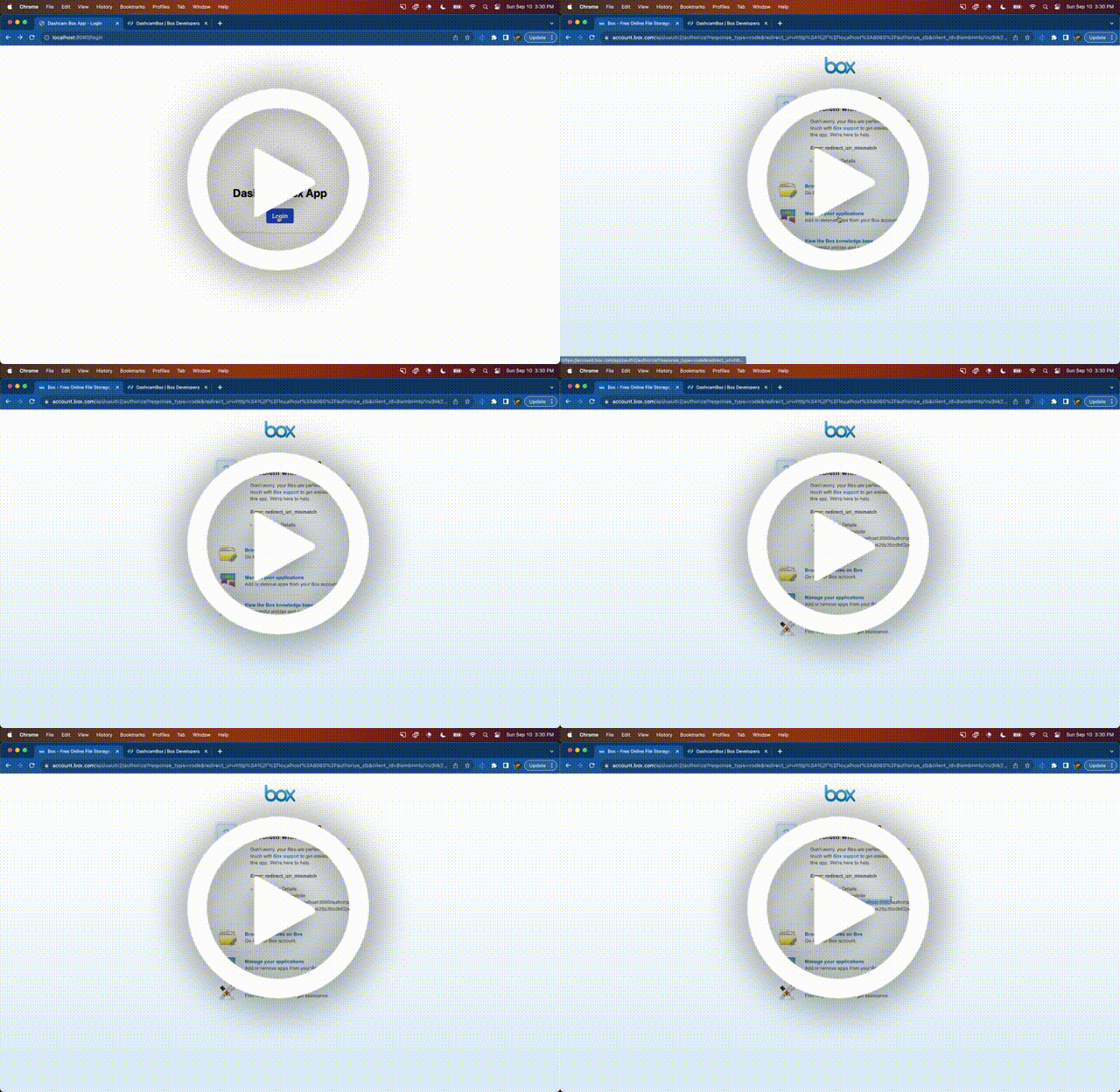
Writing your first Box app is sort of magical, in a couple of hours you can go from having nothing to integrating with a bulletproof cloud filesystem Wondering how I did it? Well, strap in because we’re about to take a magical tour through the Box SDK and navigate through the ocean that is its first developer experience. What we’re trying to do? I will show you how to overcome the most common issues with the Box Node.js SDK, when building something for the first time. By the end of this article, you’ll be a certified Box ninja, able to effortlessly chop, kick, and grab data from Box with Javascript. The Box SDK provides a sweet wrapper around the Box API, making incorporating fancy file features into your node apps simple. Like most beautiful things in life, however, there are some gotchas when getting started that you will learn by reading this article, and you will be glad that you did. By the way, I used Dashcam to take video clips of the flow and bugs discussed below! Issue #1: Mis
I have a tiny Python utility that checks for the existence of Autocad .dwl files every 20 seconds in about a hundred folders on my computer. Several co-workers use the same app on their computers. The problem is the time lag between the creation of that file on one co-worker’s computer and its arrival at my computer (and those of the other guys too). One of them suggested I could use the Box API to maybe reduce the time lag. I’m hoping one of you might be willing to help me make the first steps if this is possible. Thanks.
Hi Team, I have some box folders on https://gehealthcare.box.com and I am trying to upload files on the same using python scripts which are executed via jenkins. I am currently using JWT without SDK approach and I am able to get the token but when I pass that token to my box URL where the files needs to get uploaded I am getting below error message: upload_response.text: {“type”:“error”,“status”:404,“code”:“not_found”,“context_info”:{“errors”:[{“reason”:“invalid_parameter”,“name”:“parent”,“message”:“Invalid value ‘d_139168108673’. ‘parent’ with value ‘d_139168108673’ not found”}]} Here 139168108673 is my folder id where the file needs to get uploaded. Kindly help as it is quite urgent. Looking forward to hear from you. Thanks, Shailendra Jetpuria
I am getting below error when I have concurrent request to have a Box Token. {“error”:“invalid_grant”,“error_description”:“Please check the ‘jti’ claim. A unique ‘jti’ value is required.”} Java Box SDK - 2.32.0
Hi there! Our app uses box-ui-elements and we want to start using the latest annotations API functionality with text highlight, drawing, mentioning and more. We already updated box-ui-elements to the latest version, but it didn’t give expected result, annotations were still not highlighted So I have a question: Does box-ui-elements already use the latest annotations API functionality or integration is still in progress? Thank you in advance!
This is the place to discuss the Box API Postman collections. Let us know if you found a bug, saw an inconsistency with the documentations or even have suggestions on how to improve the collection.
Hi, We have observed that the Box API is not returning the files consistently in multiple runs, however, this issue is occurring rarely. Sometimes it fetches less files than what is present in the Box without making any changes anywhere. We are using the following Box SDK. <dependency> <groupId>com.box</groupId> <artifactId>box-java-sdk</artifactId> <version>2.58.0</version> </dependency> Sample code: BoxFolder folders = new BoxFolder(api, userRootFolderId); folders.forEach(item-> { if (itemInfo instanceof BoxFile.Info) { BoxFile.Info fileInfo = (BoxFile.Info) itemInfo; log.info("Fetched BoxFile {} with id {}.", fileInfo.getName(), fileInfo.getID()); } else if (itemInfo instanceof BoxWebLink.Info) { if (boxConfiguration.getCrawlWebLinks()) { log.info("Fetched Weblink {} with id {}.", item.getName(), item.getID()); } else if (itemInfo instanceof BoxFolder.Info) { log.inf
Hi folks, Hi folks, thinking that you use the Box Postman Collection to interact with our API, I wanted to share this with you: With the objective to make our API Postman collection more flexible, I’ve been working on it so that it supports all of Box authentication types Developer Token, OAuth, CCG, and JWT. The idea is to detect the type of environment selected, and adjust the token refresh accordingly. I’ve also created a few helper methods to create these environments. I would very much like you take it for a spin, and send some feedback. You can fork this collection from here. You can leave your feedback by replying to this post. And of course ping me with any questions. Cheers
We are excited to introduce the latest generation (currently in Beta) of Box Python SDK, designed to elevate the developer experience and streamline your integration with the Box Content Cloud. With this release, you’ll have access to: Full API Support: The new generation of Box SDKs empowers developers with complete coverage of the Box API ecosystem. You can now access all the latest features and functionalities offered by Box, allowing you to build even more sophisticated and feature-rich applications. Rapid API Updates: Say goodbye to waiting for new Box APIs to be incorporated into the SDK. With our new auto-generation development approach, we can now add new Box APIs to the SDK at a much faster pace (in a matter of days). This means you can leverage the most up-to-date features in your applications without delay. Embedded Documentation: We understand that easy access to information is crucial for developers. With our new approach, we have included comprehensive documentation for
Hello, I’m just getting started with Box CLI and need a way to batch remove hundreds of external users that have tens of thousands of collaborations within an enterprise. We can remove one at a time from the legacy admin dashboard, but I’d like to do this in batch via Box CLI, as advised by Box Support. I can’t find any documentation on external users specifically, only on the individual collaborations of managed users. Thoughts? -Vlad Weinstein
We are excited to introduce the latest generation (currently in Beta) of Box TypeScript SDK, designed to elevate the developer experience and streamline your integration with the Box Content Cloud. With this SDK, you’ll have access to: Full API Support: The new generation of Box SDKs empowers developers with complete coverage of the Box API ecosystem. You can now access all the latest features and functionalities offered by Box, allowing you to build even more sophisticated and feature-rich applications. Rapid API Updates: Say goodbye to waiting for new Box APIs to be incorporated into the SDK. With our new auto-generation development approach, we can now add new Box APIs to the SDK at a much faster pace (in a matter of days). This means you can leverage the most up-to-date features in your applications without delay. Embedded Documentation: We understand that easy access to information is crucial for developers. With our new approach, we have included comprehensive documentation for
Looking to get advice on how to use content explorer and uploader in salesforce experience cloud as i seen in jan roundtable
I am having some issues with an Apache Groovy script. When users run this script it sometimes returns this error - it fails at the line def subFolder = parentFolder.createFolder(subFolderName).getResource() BoxAPIResponseException: The API returned an error code [404 | m75vwdhfthirxg8m.0155c36fdf223f6693c60b71343f0bfc6] not_found - Not Found Exception chain: ScriptException: com.box.sdk.BoxAPIResponseException: The API returned an error code [404 | m75vwdhfthirxg8m.0155c36fdf223f6693c60b71343f0bfc6] not_found - Not Found …caused by: BoxAPIResponseException: The API returned an error code [404 | m75vwdhfthirxg8m.0155c36fdf223f6693c60b71343f0bfc6] not_found - Not Found Some users have found clearing their cache allows them to then run this script The box folder has AutomationUser_1282163_2jhq1tTUma@boxdevedition.com as an Editor The file names are unique names and do not contain illegal characters The parent folder exists Here is the relevant code import com.box.sdk.BoxFolder def today =
I’m using the following snippet, I don’t receive any event in uploaderClose method. var configData = { ACCESS_TOKEN: "XXXXXXXX", FOLDER_ID: "XXXXXX" }; function uploaderClose(e) { console.log('close:', e); } var optionsUploader = { 'onClose' : uploaderClose } var options = { 'container': '.explorer', 'contentUploaderProps': optionsUploader } var contentExplorer = new Box.ContentExplorer(); contentExplorer.show(configData.FOLDER_ID, configData.ACCESS_TOKEN, options);
I was testing out bun instead of npm or node and I couldn’t get the same behavior: what I mean by that is that running the app with bun I was not able authenticate, but I was with node (see below example) https://app.dashcam.io/replay/64ff8108923289006233ea16 Any idea what might be causing that?
As per Box documentation, the clearCache function of Content Explorer should force reload the items. But when I call the same function, I don’t see any reload of items in Content Explorer widget. I am using Content Explorer version 17.1.0. /** Clears out the internal in-memory cache for the content explorer forcing re-load of items via the API. @public @return {void} */ contentExplorer.clearCache();
We are referring the source code present in the following link: github.com box/box-java-sdk/blob/v4.4.0/doc/files.md#download-a-file Files ===== File objects represent individual files in Box. They can be used to download a file's contents, upload new versions, and perform other common file operations (move, copy, delete, etc.). <!-- START doctoc generated TOC please keep comment here to allow auto update --> <!-- DON'T EDIT THIS SECTION, INSTEAD RE-RUN doctoc TO UPDATE --> - [Get a File's Information](#get-a-files-information) - [Update a File's Information](#update-a-files-information) - [Download a File](#download-a-file) - [Upload a File](#upload-a-file) - [Upload Preflight Check](#upload-preflight-check) - [Upload a Large File in Chunks](#upload-a-large-file-in-chunks) - [Upload a Large File in Chunks Including Attributes](#upload-a-large-file-in-chunks-including-attributes) - [Upload a Large File Version in Chunks](#upload-a-large-file-
I am using the following references, href="https://cdn01.boxcdn.net/platform/elements/16.0.0/en-US/explorer.css src="https://cdn01.boxcdn.net/platform/elements/16.0.0/en-US/explorer.js
I have a simple question, I am running a python script that searches for files regularly in box folders. Is there a way to refresh this box folder within my script? Thanks a lot.
I am using a python script to search for files in a specific folder, the folder contains over 25K files I have an excel with filenames that the script needs to search for. Part of the script looks like this: Start searching and downloading for file_name in file_names_to_download: print(f"Searching for {file_name} …“) search_results = client.search().query(query=f”{file_name}“, limit=10, ancestor_folder_ids=[folder_id]) exact_matches = [item for item in search_results if item.name == f”{file_name}"] if not exact_matches: print(f"No exact match found for {file_name}.") df.loc[df.iloc[:, 0] == file_name, 'Status'] = 'Not Found' continue if len(exact_matches) > 1: print(f"More than one exact match found for {file_name}. Using the first match.") item_to_download = exact_matches[0] print(f"Found {file_name}. Downloading ...") found_files.append(item_to_download.name) item_download_path = os.path.join(download_path, item_to_download.name) try: with open(item_downloa
Already have an account? Login
No account yet? Create an account
Enter your E-mail address. We'll send you an e-mail with instructions to reset your password.